





Lyrics → Song · 2026

YuE2 AI Music Generator

Turn your lyrics into a pop song.

Real outputs

Songs made with this YuE2 AI music generator

Each pair below came from a single run of the YuE2 AI music generator: same lyrics, same style line, two different takes. Click a card to listen.

  • Style: indie pop, warm female vocal, soft plate reverb, midtempo · 2:47
    Generated on YueMusic

  • Style: indie pop, warm female vocal, soft plate reverb, midtempo · 2:24
    Generated on YueMusic

  • Style: acoustic ballad, soft male vocal, fingerpicked guitar, warm and intimate · 1:58
    Generated on YueMusic

  • Style: acoustic ballad, soft male vocal, fingerpicked guitar, warm and intimate · 1:44
    Generated on YueMusic

Real songs generated on YueMusic (Suno V6). Lyrics are original.

The short answer

What is this YuE2 AI music generator?

YueMusic is a YuE2 AI music generator you use online. Describe a song in one sentence or paste your lyrics, pick a style, and get two finished songs with vocals and a full arrangement in about one to two minutes, with no GPU and nothing to install. The open-source YuE2 model itself runs on your own NVIDIA GPU; this page gives you the same lyrics-to-song result in a browser tab.

Songs here are generated with Suno V6, not with YuE2. That means no 24 GB graphics card, no Python setup and no model download, and your first generation is free. If you want to run the open YuE2 model yourself, the guide further down this page covers what you need.

YuE2 explained

What is YuE2, and how is YueMusic different?

YuE2 is an open-source lyrics-to-song model from M-A-P (Multimodal Art Projection), released on Hugging Face in September 2026 as YuE2-3B. You give it lyrics and a style prompt; it plans a melody and chords, then renders a complete song with vocals as 48 kHz stereo audio.

Under the hood, YuE2 works in stages: it first writes a symbolic score in ABC notation, then turns that plan into acoustic latents with flow matching, and a VAE decodes them into audio. A setting called cot chooses the plan: full (melody and chords, the default), melody (melody only, recommended for covers) or off (straight from lyrics and style).

YueMusic is not YuE2 and is not affiliated with M-A-P. We don't run the YuE2 model. We built a simpler route to the same core result, lyrics in and a finished song out, for people who don't want to set up a GPU.

Diagram comparing running YuE2 on a local GPU with generating a song in the browser on YueMusic

What YuE2 can do

  • 01

    Lyrics and style to a full song

    Give it lyrics and a style prompt and it renders a complete song with vocals and backing as 48 kHz stereo audio.

  • 02

    An editable score first

    Before any audio, it writes an ABC-notation score with melody and chords. The cot setting switches between full, melody-only and no planning.

  • 03

    Edit the score, regenerate

    Change notes or chords in the ABC score and render the song again from your edits instead of starting over.

  • 04

    Zero-shot covers

    Its companion model SheetSage2 transcribes a recording into a score, which YuE2 then sings again as a cover.

  • 05

    Agent-driven edits

    An AI agent can take revision requests in plain language and apply them through the score.

  • 06

    Chinese and English

    The model card lists Chinese and English as supported lyric languages.

  • 07

    24 GB GPU, about 71 s on a 4090

    It needs an NVIDIA GPU with 24 GB of VRAM. The official figure is about 71 seconds for a 3.6-minute song on an RTX 4090.

  • 08

    Native ComfyUI nodes

    ComfyUI ships native YuE2 nodes and a text-to-music workflow, including a piano-roll view of the score.

YueMusic covers only the first item on this list: lyrics and a style in, a finished song out. Score editing, covers, agent edits and ComfyUI workflows need YuE2 itself.

Running YuE2 locally compared with generating on YueMusic
YuE2 on your own GPUYueMusic in the browser
ModelYuE2-3B (open weights)Suno V6, through an API provider
HardwareLinux and an NVIDIA GPU with 24 GB of VRAM and BF16 supportAny modern browser, desktop or mobile
SetupPython environment, pip install, model download from Hugging Face on first runSign in, paste lyrics, press Generate
SpeedAbout 71 seconds for a 3.6-minute song on an RTX 4090 (official figure)About 1 to 2 minutes for two songs
Lyric languagesChinese and English on the model cardChinese, English and many other languages; the interface is in English
Score editing and coversYes: ABC scores, covers, agent-driven editsNo: lyrics and a style description only
LicenseWeights under CC BY-NC 4.0 plus a creator permission; companies need a commercial license from M-A-PCommercial terms for generated songs are still being finalized
CostFree weights; you pay for the GPU and electricity10 credits per generation; new accounts get one free generation

Your song is one sentence away.

Write your song now

Do it yourself

How to run YuE2 locally

If you have the hardware, running YuE2 yourself is a solid option. Here is what the official instructions ask for.

  1. 01

    Check your hardware

    You need Linux, Python 3.10 or newer (the GitHub instructions use 3.12), and an NVIDIA GPU with 24 GB of VRAM and BF16 support. YuE2 runs at full precision without quantization.

  2. 02

    Install the inference package

    Clone the official GitHub repository and install it with pip. The YuE2-3B weights download from Hugging Face the first time you run it.

  3. 03

    Generate a song

    Load the YuE2 pipeline with the m-a-p/YuE2-3B model, then pass a style prompt and lyrics labeled with sections such as [verse] and [chorus].

  4. 04

    Prefer a visual workflow?

    ComfyUI has native YuE2 nodes and an official text-to-music workflow, so you can build songs without writing Python.

Official YuE2 resources

No GPU, or no time to set it up? Use the lyrics to song tool at the top of this page instead.

Free demos

Can you try YuE2 online for free?

Yes. The official YuE2 GitHub page links to a free browser demo hosted by NOIZ, one of the project's partners, so you can hear the model itself without installing anything. There is also a community-built YuE2-3B Space on Hugging Face.

Free demos can queue or change without notice. If you don't need the official model and just want your words turned into a song right now, the YuE2 AI music generator at the top of this page does that in a minute or two.

What you can make

What you can make with the YuE2 AI music generator

Pick a use to see what it looks like. Each one starts the same way: a sentence or a lyric in the box at the top of the page.

A wrapped present beside a phone playing a personal song

Birthday & gift songs

Cover art for Twenty-Five Candles, a sample song made on YueMusicReal sample: Twenty-Five Candles1:58
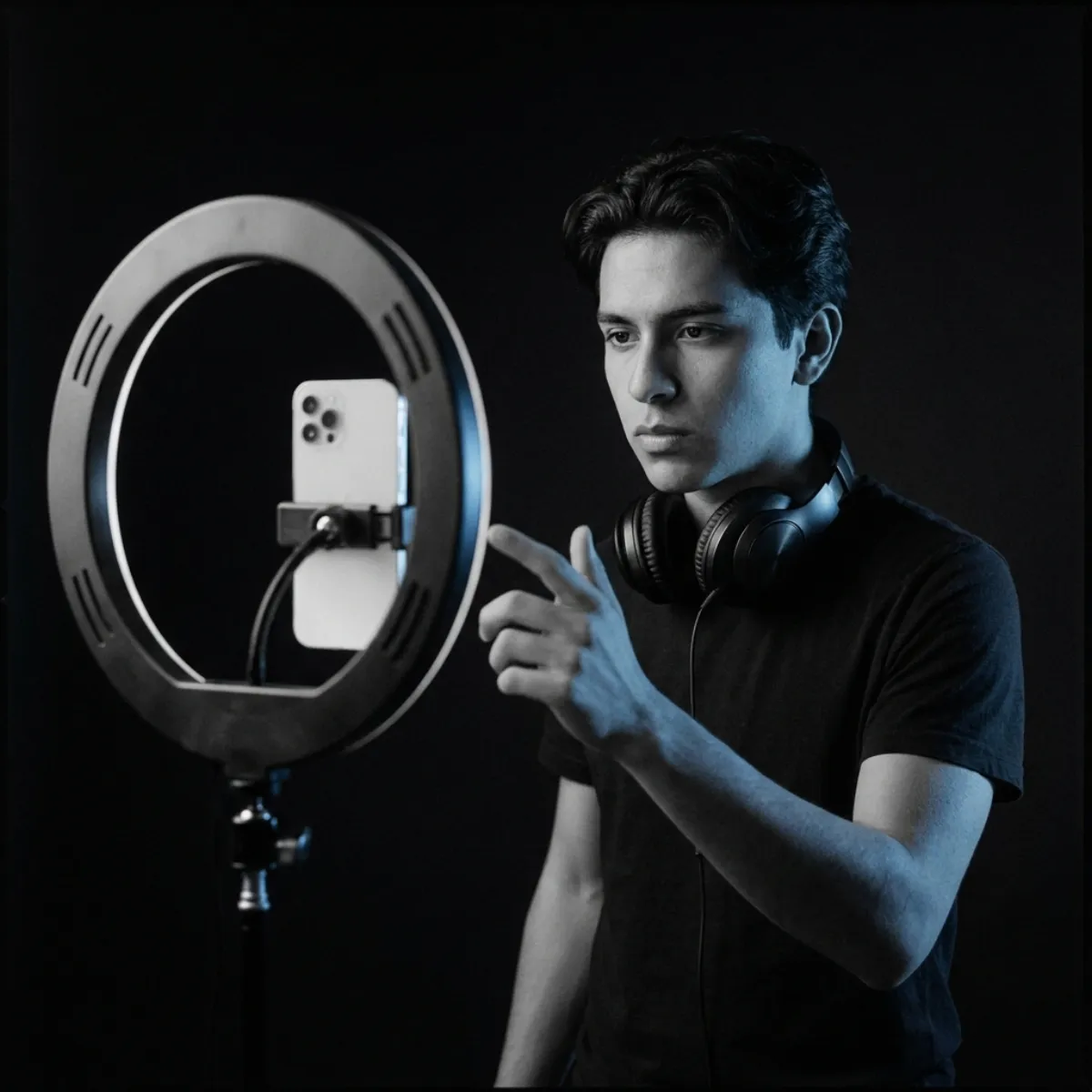
A creator filming a short vertical video with a song playing

Creators: YouTubers and short-form video

You post every week, and music is the part that slows you down. Trending sounds get clips muted or feel like everyone else's, and stock libraries take an hour to search. With YueMusic you describe the video in one sentence, or write four lines about it, pick a style and get two original songs in a minute or two. Keep the take whose chorus lands on your best shot, trim it in your editor, and read the licensing answer in the FAQ before you use it in paid promotion.
A podcast microphone in a dim home studio

Podcasters: intros, outros and stings

Your show needs a theme that sounds like it belongs to the show, but royalty-free libraries all start to sound the same and many are shared by hundreds of other podcasts. Write a short lyric that names the show, or switch on Instrumental for a music-only bed, and describe the mood, like "warm lo-fi, mellow" or "punchy rock, fast". Cut the best seconds into an intro, an outro and a transition sting, then reuse them every episode.

Who it is for

Built for people who need a song

Four groups use a YuE2 AI music generator like this most. Here is the problem each one brings, and what changes.

Cover art for Neon Overtime, a synthwave sample song made on YueMusic

Marketers: brand spots and ad jingles

A campaign needs a jingle or a background track this week, and a custom composer is weeks and a budget line away. Write the product name, the one line you want people to remember and the mood, such as "upbeat pop jingle, bright female vocal", and compare two versions side by side. Use them to pitch a direction to a client, test a hook in a draft ad or brief a composer with a real reference instead of adjectives.

A notebook of handwritten lyrics next to headphones

Songwriters: demos from your own lyrics

You have a notebook full of lyrics and no fast way to hear them. Booking a studio or learning a DAW for every idea is not realistic. Paste a finished lyric with [Verse] and [Chorus] tags, describe the sound you imagine and hear two full demos with a sung melody in a minute or two. Use them to check whether the hook works, whether a verse is too wordy to sing, or to play a rough idea to your band before rehearsal.

How it works

How to use the YuE2 AI music generator

Three steps from an idea or a lyric to a finished song, and your first generation is free.

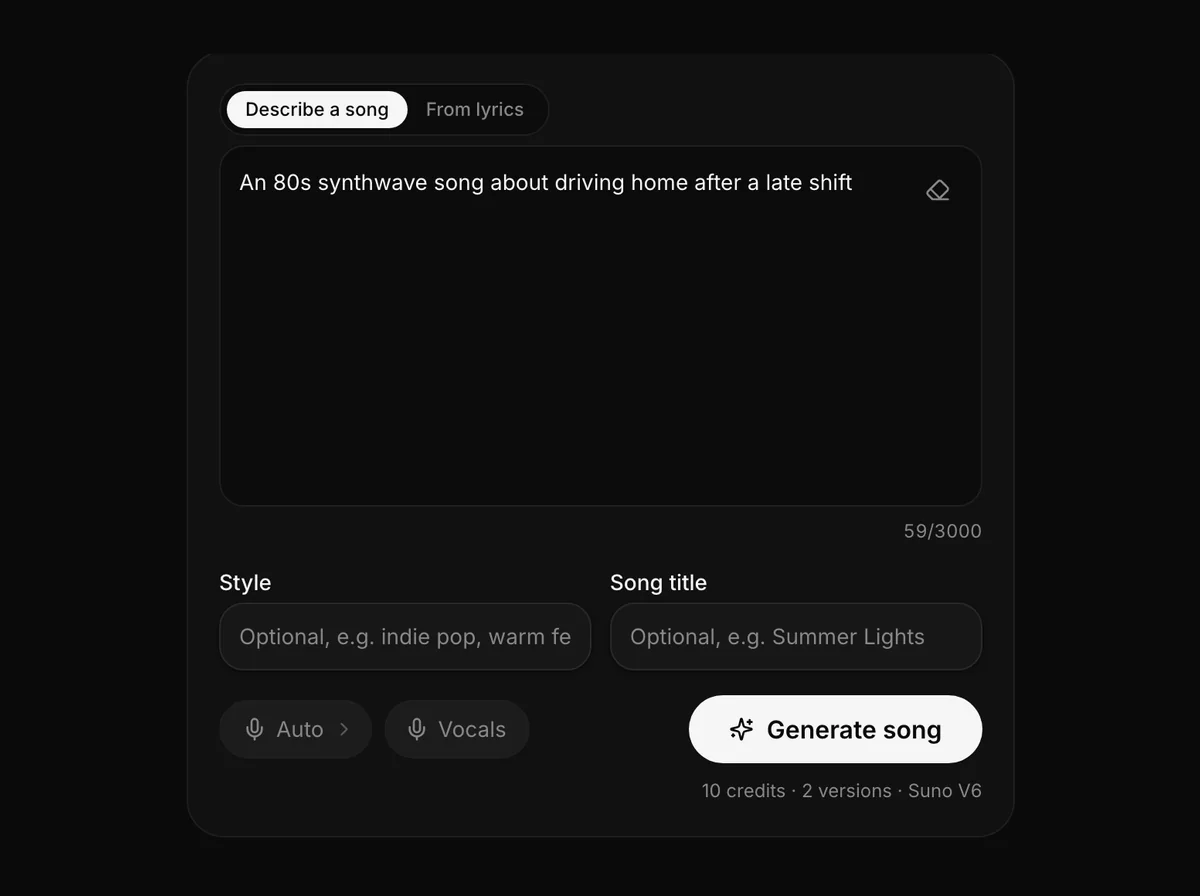
The YueMusic workbench with a one-line song idea typed into the Describe a song box

Templates

Start from a template

Twelve jobs people bring to the YuE2 AI music generator most. Click one to drop its description and style into the box at the top, then change the details to make it yours.

Features

Features of this online YuE2 AI music generator

Everything between words on a page and a song you can play, with the numbers that matter.

  • Cover art of Take 1 and Take 2 of Radio Low, two songs from one generation (Take 1)
    Take 12:47
    Cover art of Take 1 and Take 2 of Radio Low, two songs from one generation (Take 2)
    Take 22:24

    Two versions every generation

    Every generation returns two complete songs from the same lyrics and style line, each with its own melody, arrangement and length. In the examples above, the two takes of "Radio Low" run 2:47 and 2:24. You pay 10 credits for the pair, not per song.

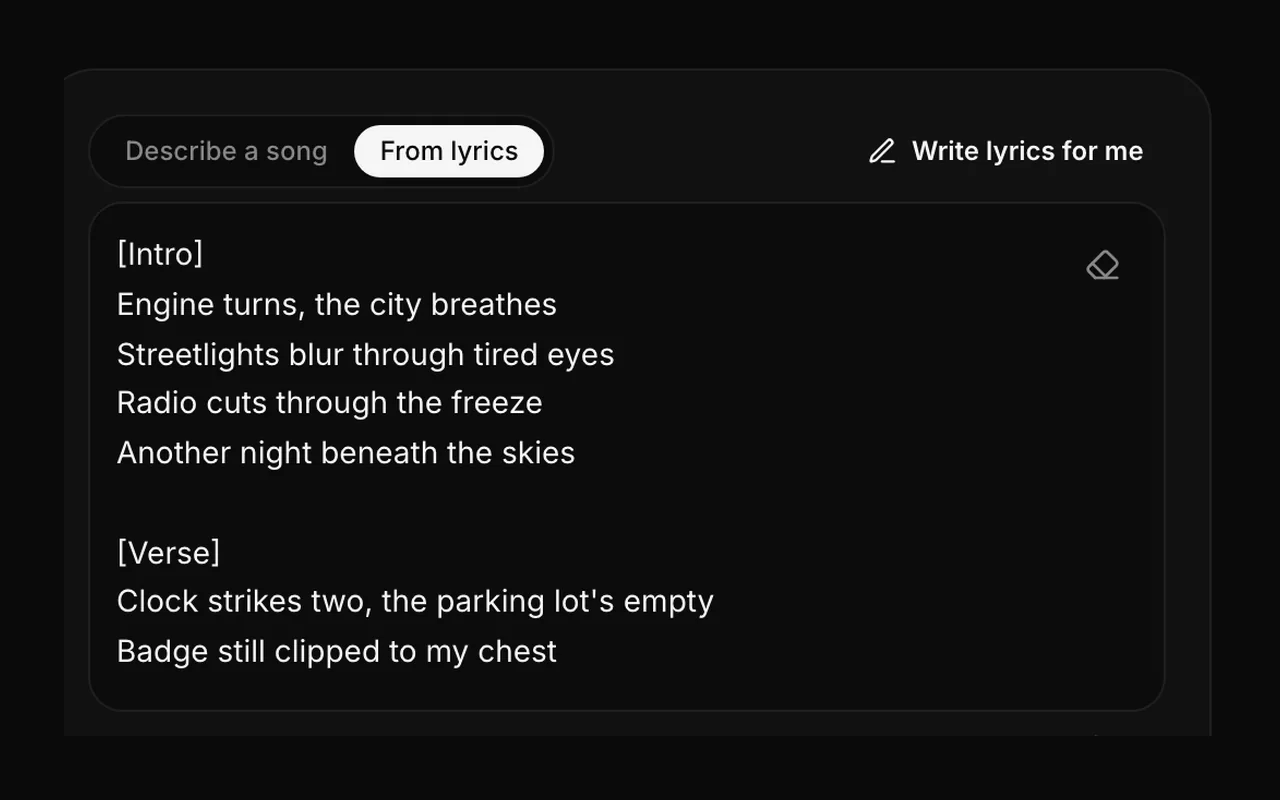
  • Lyrics written from a one-line idea, with Intro and Verse tags, in the From lyrics box next to the Write lyrics for me button

    Write lyrics for me

    Describe the song in one line of up to 300 characters and the helper drafts verses and a chorus with section tags. The draft lands in the lyrics box, so you can rewrite any line before you generate. Writing lyrics does not use credits; the three steps above show where it fits.

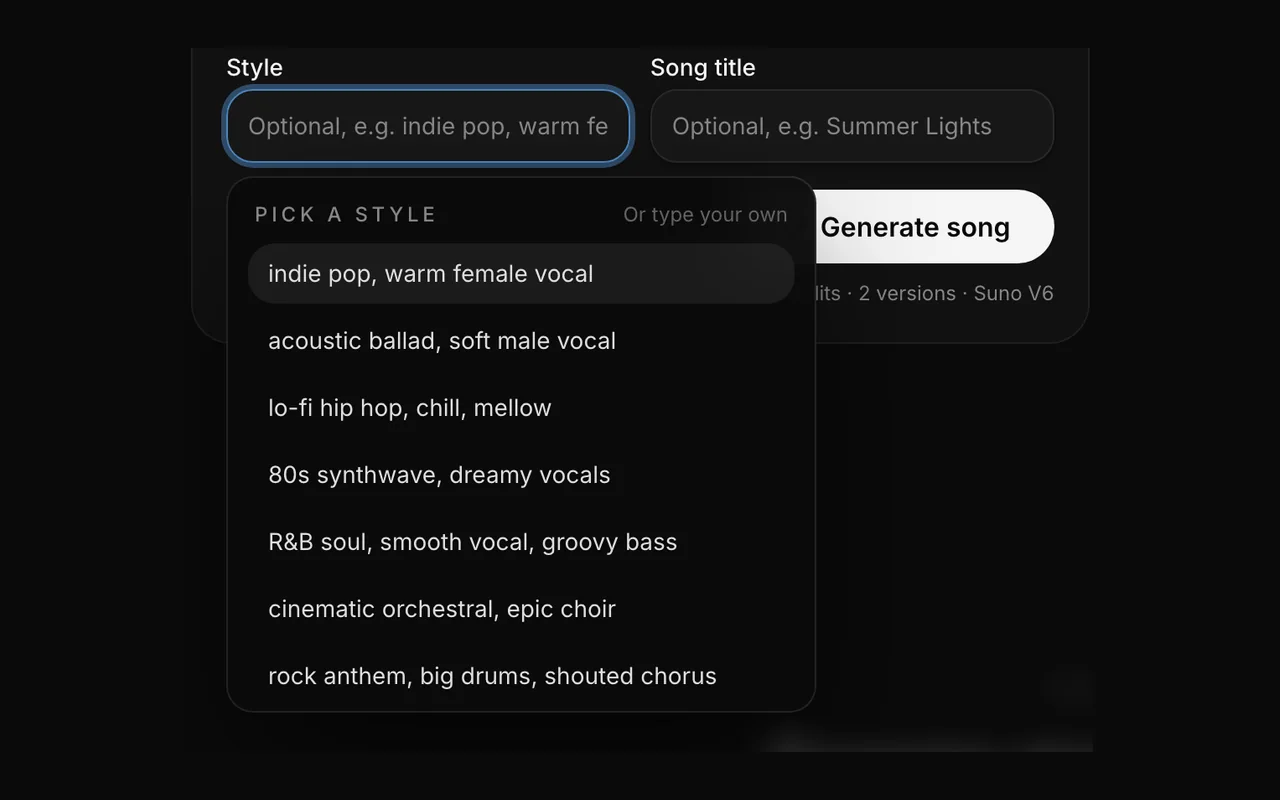
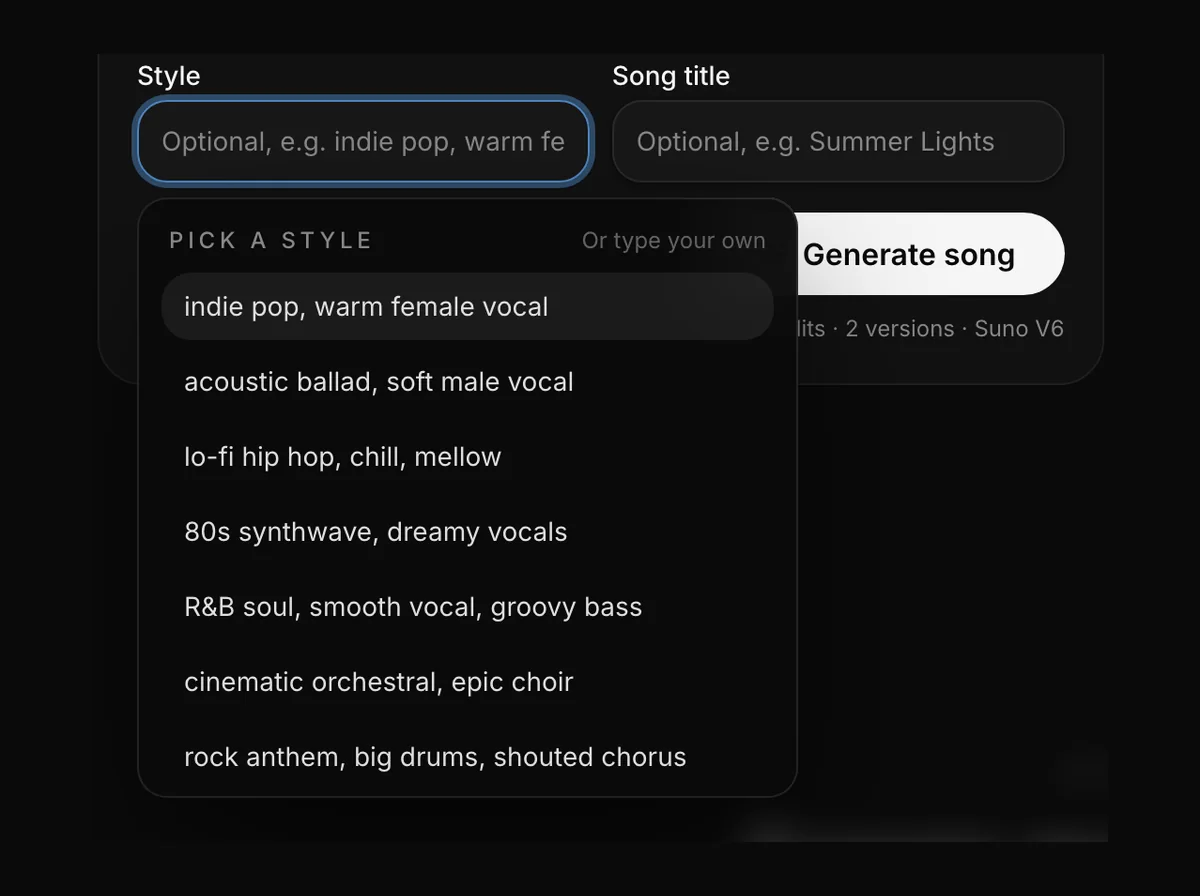
  • The style box open in the workbench with presets such as indie pop, lo-fi hip hop and 80s synthwave

    Style in your own words

    Write genre, mood, tempo, instruments and vocal feel in up to 200 characters, the way you would brief a session musician. Twelve presets, from indie pop to cinematic orchestral, fill the box with a line you can edit, and every song template comes with a style line too. The same lyrics come out as very different songs with "acoustic ballad, soft piano" and "punk rock, fast, shouted chorus".

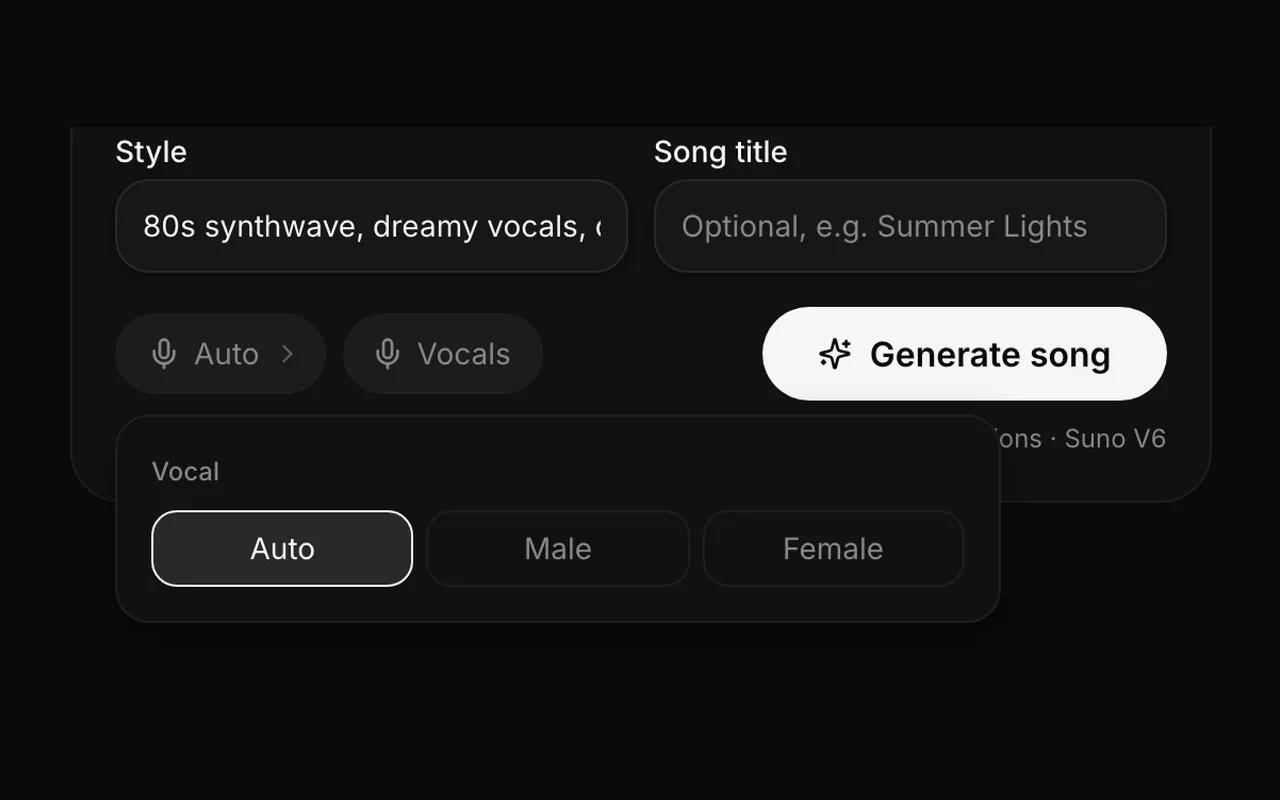
  • The song settings panel with the vocal options Auto, Male and Female next to the Vocals switch

    Vocals or instrumental

    Pick Auto, Male or Female as a vocal hint, or leave it on Auto and describe the voice in the style line. Turn on Instrumental when you need a backing track, a podcast bed or a temp score; lyrics become optional and nothing is sung. How you may use the result is answered in the FAQ.

  • A notebook of handwritten lyrics with labels for English, Chinese, Spanish and Japanese
    • English
    • 中文
    • Español
    • 日本語

    Lyrics in many languages

    Write lyrics in English, Chinese, Spanish, Japanese and more, up to 3,000 characters per song. The vocal is sung in the language you write. Describe the style in English for the most predictable results. Who runs the site and which engine sings is on the about page.

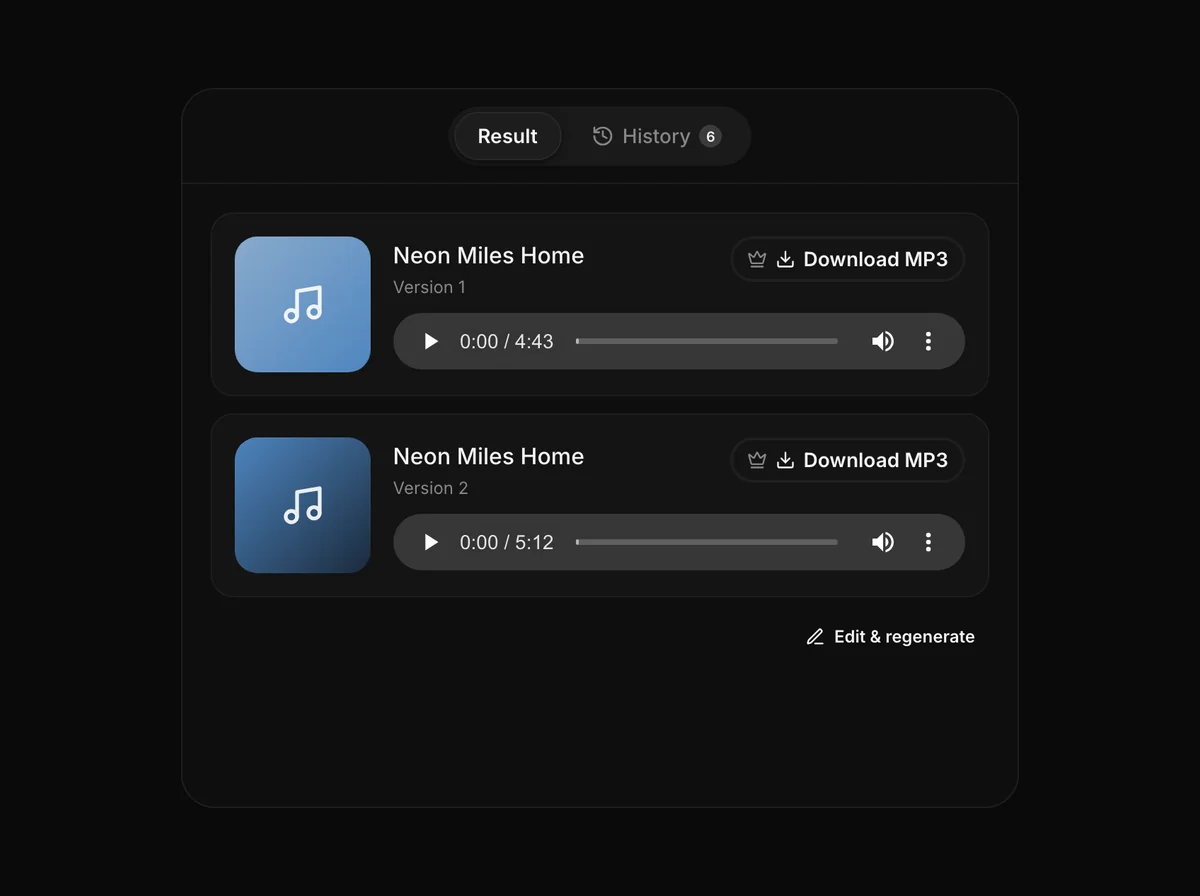
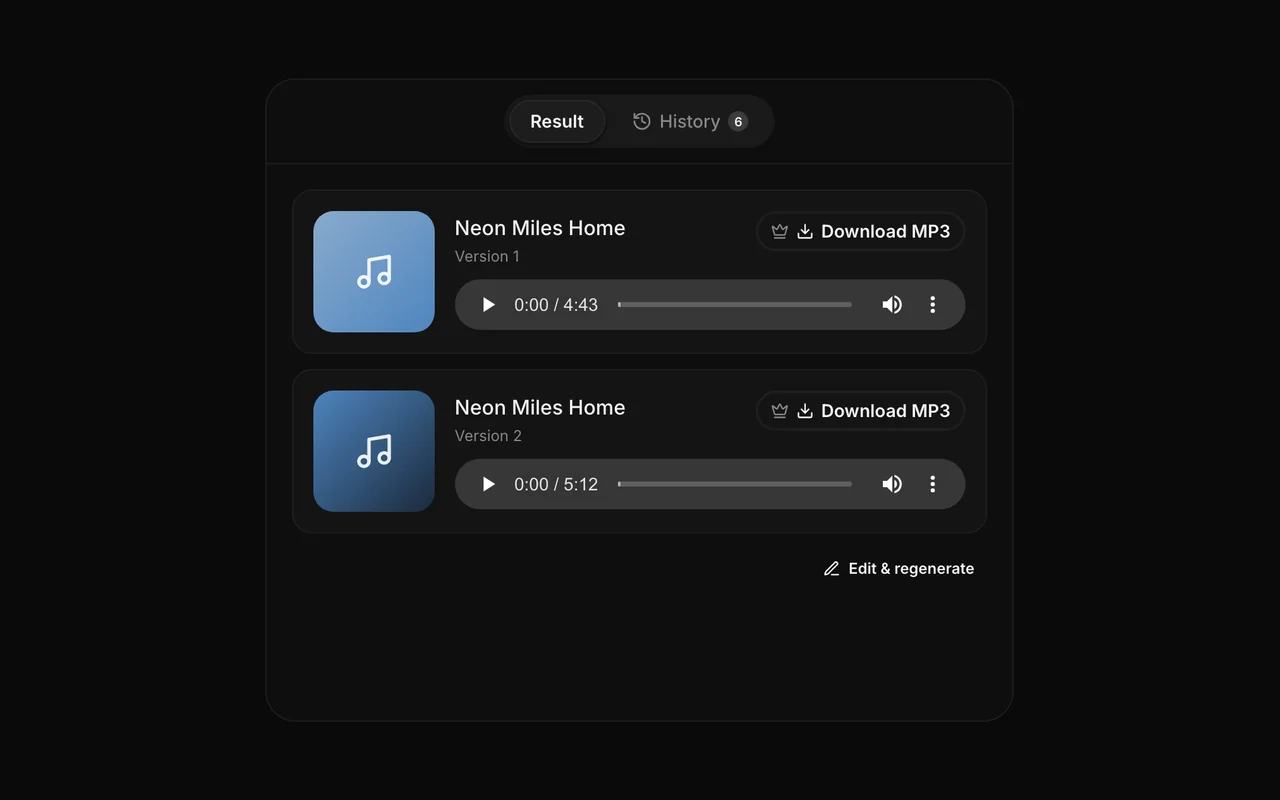
  • Two generated songs with browser players and Download MP3 buttons marked with a crown

    Listen free, download MP3

    Every song plays in your browser for free, straight from your song history. With a subscription or a credit pack you can download either take as an MP3 named after your song title. Songs stay in your history, so you can come back and download later.

What to expect

What your song will sound like

The best example is your own lyrics, and your first generation is free. Here's what to expect.

  • 01

    Sung from your words

    The vocal follows your lyrics as written. Section tags like [Verse], [Chorus] and [Bridge] tell it where the song should lift and repeat.

  • 02

    Shaped by your style line

    The style description sets the genre, instruments and mood. "Acoustic ballad, soft piano, warm female vocal" and "punk rock, fast, shouted chorus" give very different songs from the same lyrics.

  • 03

    Complete songs, not loops

    You get a full song with vocals and backing, built around your verses and chorus, not a short clip. Try another style line or regenerate if the first take isn't right.

Why YueMusic

Why use YueMusic instead of running YuE2 locally?

An honest, low-effort way to hear your lyrics as a song.

  • 01

    No GPU, nothing to install

    Running the YuE2 AI music generator locally needs Linux, a 24 GB graphics card and a Python setup. YueMusic is an online music generator: open a browser tab on any device, paste lyrics and press Generate.

  • 02

    Two takes per generation

    Every generation gives you two complete songs to compare, with different melodies and arrangements, so one prompt goes further and you are never stuck with a single take.

  • 03

    Free first try, then pay per song

    Your first generation is free: new accounts get 10 credits, enough for two songs. After that, buy a credit pack when you need a few songs. A subscription is optional, not required.

  • 04

    We tell you which model you're using

    Your songs come from Suno V6, and we say so on every page. We do not claim to be YuE2 or its official site, and we tell you where to try YuE2 itself for free.

By the numbers

Plain facts

songs per generation
2
per generation
<60s
GPUs needed
0

Pricing

Simple pricing

Pay for the YuE2 AI music generator with credits. A subscription is optional: buy a credit pack when you only need a few songs.

Each generation costs 10 credits and returns 2 songs. New accounts get 10 free credits, which is one free generation.

credits per generation, which makes 2 songs
10
free generation for every new account
1
listening in the browser; MP3 downloads with a plan or credit pack
Free
credits taken for a failed generation
0

Gallery

Made with YueMusic

Six full songs from three generations on this site, not clips. Press play on any cover, then see the lyrics and style line behind each one in the examples above.

  • Radio Low

    Take 1

  • Radio Low

    Take 2

  • Twenty-Five Candles

    Take 1

  • Twenty-Five Candles

    Take 2

  • Neon Overtime

    Take 1

  • Neon Overtime

    Take 2

See the prompts behind these songs

Who it is for

Loved by creators who start with words

YueMusic is new, and we do not have customer quotes to show yet, so there are none here. Instead, these are the people it is built around, what they make with it, and a real song from the site that shows the kind of result they get.

  • Songwriters testing a lyric

    A finished lyric can sit in a notes app for weeks because a demo means a studio or a DAW. Pasting it in with [Verse] and [Chorus] tags turns it into a sung demo in a minute or two, which is enough to hear whether the hook works.

  • Bands choosing an arrangement

    Two takes from one prompt put the same words to two different melodies. A band can play both before rehearsal, argue about tempo and phrasing with something real to point at, and keep the version that fits the set.

  • Friends writing a birthday song

    A name, an inside joke and one memory are enough. A warm acoustic style turns them into a song for the party or a photo slideshow, and the first generation costs nothing.

  • Families scoring a video montage

    A year of clips cut into a birthday or holiday video needs a song with the right name in it. A short lyric and a gentle style give a track that fits a montage, and the second take works as a quieter alternative.

  • Creators scoring short videos

    A night-drive reel needs a synthwave track that is not the same trending sound everyone else is using. Four lines about the video and a style line produce two original songs to cut against the footage.

  • Indie developers cutting a trailer

    Before commissioning a composer, a small studio can generate a vocal track with an 80s neon mood as a temp score for a trailer cut, then hand the composer the take that fits best as a reference.

FAQ

Common questions about YueMusic, YuE2 and making songs online

No. YueMusic is an independent online alternative and is not affiliated with M-A-P, the team behind YuE2. YuE2 is an open-source model you run on your own GPU; the official YuE2 GitHub page also links to a free browser demo hosted by NOIZ if you want to try the model itself.

No. Several websites and apps use "YuE2" in their names, and some describe themselves as the official YuE2 platform. YueMusic has no connection with any of them: we do not share accounts, credits, payments or support. Credits bought here only work on yuemusic.ai, and we only email you from support@yuemusic.ai. The official YuE2 project is published by M-A-P on GitHub and Hugging Face.

Every song on YueMusic is generated with Suno V6 through an API provider, not with YuE2. If that ever changes, we'll say so on this page.

For YuE2 itself, yes: the official YuE2 GitHub page links to a free browser demo hosted by NOIZ, and there is a community YuE2-3B Space on Hugging Face. Both can queue or change without notice. YueMusic is a different option, an online YuE2 AI music generator you can use in any browser. Your first generation here is free and returns two songs; after that each generation costs 10 credits.

Choose "Describe a song" and write what you want, for example "a gentle lullaby for a newborn named Leo". The YuE2 AI music generator first drafts original lyrics with verses, a chorus and section tags, shows them in the lyrics box, and then sings them in the style you gave, or in the style your sentence implies. You can edit the draft and generate again. Prefer your own words? Switch to "From lyrics" and paste them.

No. Generation runs in the cloud, so any modern browser on a laptop, desktop, tablet or phone works, with no downloads, drivers or Python. That is the main difference from running YuE2 yourself, which needs Linux and an NVIDIA GPU with 24 GB of VRAM. You only need a free account to generate, and your songs stay in your history when you sign in again.

Both. Paste your own lyrics, up to 3,000 characters, and they are sung as written; tags such as [Verse], [Chorus] and [Bridge] shape the structure. Or click "Write lyrics for me", describe the song in one line and the helper drafts a full lyric you can edit before generating. The lyric helper does not use credits.

Yes for lyrics. You can write lyrics in Chinese, English, Spanish, Japanese and many other languages, and section tags such as [Verse] and [Chorus] work the same way in each of them. The website itself is in English, and English style descriptions give the most predictable results.

Each generation uses 10 credits and returns two songs. New accounts get 10 free credits, which is one free generation, not unlimited free use. Listening online is always free; downloading MP3 files requires a subscription or a credit pack. The full price list is in the pricing section above and on the pricing page.

We can't promise that yet. Commercial licensing terms for songs made on YueMusic are still being finalized, and our current terms cover personal, non-commercial use such as a birthday song or a private demo. If you plan to use a song in a commercial project, contact support@yuemusic.ai before you publish it.

No. We do not support cloning real artists' voices, imitating a named singer or recreating copyrighted songs and their lyrics. Describe the kind of voice you want instead, for example "warm female vocal", "raspy male rock vocal" or "soft airy vocal", and add genre and instruments to the style line. Original lyrics and a descriptive style give the best results anyway.

Credits already used for generations are not refundable. Unused credit packs can be refunded on request within 14 days of purchase, and subscriptions can be cancelled at any time and stop at the end of the paid period. Our Refund Policy has the full details.

Your words, sung

Got lyrics? Hear them tonight.

Describe a song or paste your lyrics, and the YuE2 AI music generator hands you two finished takes. Questions, licensing or feedback? Write to us.